6 fun AI tools that turn photos into videos
Turn a still photo, drawing or character into a moving clip with six AI image-to-video tools built for different kinds of creative chaos.
By Bored Hoard
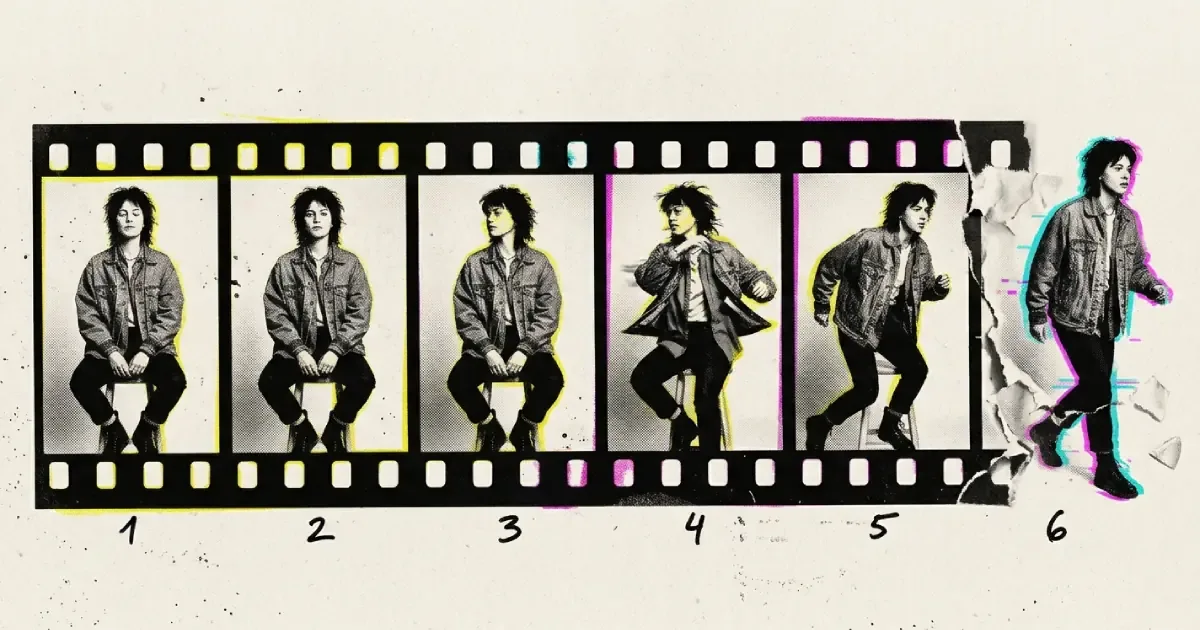
Some photos deserve better than sitting perfectly still in a forgotten folder. They should blink, dance, explode into glitter or drift ominously through space like they know something you do not.
AI image-to-video tools make that possible with varying degrees of control, cost and accidental nightmare fuel. Upload an image, describe what should move and wait for the machine to interpret “subtle head turn” as either subtle motion or a complete rearrangement of the human skeleton.
This is not a laboratory benchmark or a suspicious table where every tool receives 9.7 out of 10. It is a map of six different creative rabbit holes and the kind of job each one is built to handle.
Affiliate disclosure: Some links in this guide are affiliate links. If you use one, Bored Hoard may earn a commission at no extra cost to you. That does not buy a tool a place in the list or a kinder description.
The quick version
- PixVerse: Add quick effects, transitions, speech or multi-shot motion.
- DomoAI: Animate illustrations, characters and stylised artwork.
- Pika: Experiment with playful effects and first-to-last-frame transformations.
- Viggle: Make a character follow motion from another video.
- Runway: Direct camera movement and more carefully sequenced action.
- Kling AI: Push for more involved scenes and coherent subject motion.
PixVerse

PixVerse takes images and text prompts and turns them into short videos, but the interesting part is the number of ways it lets you interfere with the result. Its current toolset includes motion control, templates, transitions, speech, audio and multi-shot generation.
That makes it a useful first stop when you do not simply want the camera to creep slowly toward a photograph. You can start with a still, try a recognisable effect, add movement and keep escalating until the original image is merely a distant relative of the final clip.
There is a free starting option with daily credits, so it works well for casual experiments before deciding whether the paid limits are worth it.
What happened in our test
We uploaded the caped pigeon from this article to a new Basic account and asked for a slow head turn, a gentle breeze through the cape and a slow camera push-in. With audio and Multi-Shot switched off, one five-second PixVerse V6 generation at the default 540p setting cost 30 of the 60 starting credits and took about 83 seconds. The downloaded H.264 file was 1024 × 576, ran for 5.04 seconds and had no obvious watermark.
The camera move and cape animation were convincing, the rooftop stayed remarkably stable and the pigeon kept a believable body. It did, however, turn its whole body rather than merely its head. The loose black cape also gradually became a much more symmetrical, gold-lined superhero cape. So the result followed the spirit of the prompt better than its exact choreography: lively and usable, but not a frame-accurate obedient servant.
Good rabbit hole for: quick social clips, absurd transformations and people who will absolutely press every effect button once.
DomoAI

DomoAI leans heavily into characters, illustration and stylised animation. Its image-to-video tool accepts photos or artwork, then applies template motion or a written prompt to produce a short clip. It also offers character animation, talking avatars, video restyling and upscaling in the wider toolkit.
The appeal is not that it makes every image look convincingly real. Quite the opposite: DomoAI is most interesting when the source already has a strong visual style and you want to see it move without sanding away everything distinctive about it.
Current image-to-video generations are generally short, so think in moments rather than scenes: a glance, a camera move, wind through hair or a drawing briefly coming alive.
What happened in our test
We gave DomoAI the same caped pigeon and the same prompt used for PixVerse. DomoAI 2.4.1 Fast, with motion set to Auto, charged 7 of the 30 one-time free credits for a five-second generation. It finished in about two minutes and downloaded as a 1280 × 720 H.264 file lasting 5.04 seconds.
The cape moved naturally, the rooftop stayed coherent and the camera made a restrained push-in. As with PixVerse, however, the pigeon turned its entire body instead of only its head. DomoAI also invented a small cape clasp and slightly reshaped the wing and body during the turn. The free export carried a clearly visible DomoAI watermark.
For this particular test, DomoAI used far fewer starting credits and delivered the higher-resolution file; PixVerse produced the more dramatic motion and a cleaner export without an obvious watermark. Neither followed the requested head-only movement literally.
Good rabbit hole for: anime art, illustrations, character shots and anyone who has ever wished a sketch would stop being lazy.
Pika

Pika is built for experimentation. It supports image-to-video generation, reference media and a collection of effects that encourage you to treat the source image less like sacred material and more like something found unattended in a laboratory.
Pikaframes is particularly useful when you have both a starting image and an ending image. Instead of asking the model to invent the entire journey, you give it two points and let it work out the increasingly questionable route between them.
Pika is a good choice when the idea matters more than precise cinematography. It rewards short prompts, visual jokes and repeated attempts much more than a twenty-line description of your intended masterpiece.
Good rabbit hole for: transformations, visual punchlines and seeing whether two unrelated images can be persuaded to become neighbours.
Viggle

Viggle approaches animation through motion. Give it a character image and a reference movement, and it can make the character follow that performance. This is a different job from merely adding camera motion to a landscape or making clouds drift across a photograph.
It is especially useful for full-body characters, dancing, meme formats and animation experiments where you already know how the subject should move. The free option currently includes a small daily allowance, although free exports carry a watermark.
The quality still depends heavily on the source image. A clear, unobstructed character gives the system far less opportunity to invent a surprise elbow.
Good rabbit hole for: character motion, dance clips, memes and borrowing choreography without borrowing the dancer.
Runway

Runway is the more serious studio in this list. Its current Gen-4.5 model supports image-to-video generation with prompts that can describe camera movement, timing and sequences of action. Clips remain short, but the controls are aimed at people who want to direct a shot rather than simply activate an effect.
That extra control also means Runway can feel like overkill if your entire ambition is to make a cat look mildly concerned. It becomes more useful when framing, atmosphere and the order of events matter.
Runway changes models and credit costs regularly, so check the current plan before building a workflow around it. The expensive part of AI video is rarely making one clip. It is making the seventeen attempts required before everyone keeps the same number of fingers.
Good rabbit hole for: cinematic motion, planned shots and creators prepared to iterate instead of accepting the first mutant draft.
Kling AI

Kling AI combines text-to-video and image-to-video generation with a focus on controlled movement and more involved scenes. It is worth trying when simpler effect-led tools produce a moving image but not a believable shot.
Kling tends to suit prompts that describe a subject, an action and a camera move clearly. As with every tool here, adding twelve simultaneous events is an excellent way to learn that artificial intelligence can also become overwhelmed and make terrible compromises.
Use it when you want the motion inside the scene to do more of the work. If you only need a fast transformation or a dancing character, PixVerse, Pika or Viggle may get you to the fun part sooner.
Good rabbit hole for: scene motion, camera direction and testing how much action one small prompt can survive.
How to get a less cursed result
Start with a clear image. A visible subject, clean silhouette and useful background separation give the model fewer anatomical riddles to solve.
Then ask for one main movement. “The character looks left while the camera slowly pushes in” has a fighting chance. “The character runs, turns, waves, changes clothes, rides a horse and becomes the moon” is not a prompt. It is an employment tribunal.
A few practical rules help:
- describe motion rather than repeating what is already visible;
- specify the camera move separately from the subject action;
- generate a short draft before spending credits on higher quality;
- keep the first successful version before experimenting further;
- only upload images and characters you have permission to use;
- check each service’s current commercial-use terms before using a result for paid work.
Which one should you try first?
Use PixVerse when you want effects and quick experimentation. Use DomoAI when the source is an illustration or character. Use Viggle when you already have a movement to copy. Use Pika when the transformation itself is the joke. Move to Runway or Kling when you care more about directing the shot.
Or ignore all of that, upload the same image to several tools and see which machine understands your extremely reasonable request to make a pigeon look like the final boss.
That is usually the more entertaining answer.